 Quantum 3
3.1.0
Main class of the Photon Realtime API. It keeps (connection) state and will automatically execute transitions from Name Server to Master Server and Game Servers. More...
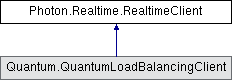
Public Member Functions | |
| RealtimeClient (ConnectionProtocol protocol=ConnectionProtocol.Udp) | |
| Creates a RealtimeClient with UDP protocol or the one specified. More... | |
| void | AddCallbackTarget (object target) |
| Registers an object for callbacks for the implemented callback-interfaces. More... | |
| void | ChangeLocalID (int newID) |
| Internally used to set the LocalPlayer's ID (from -1 to the actual in-room ID). More... | |
| virtual bool | ConnectUsingSettings (AppSettings appSettings) |
| Starts the "process" to connect as defined by the appSettings (AppId, AppVersion, Transport Protocol, Port and more). More... | |
| virtual void | DebugReturn (LogLevel level, string message) |
| Debug output handling for the PhotonPeer. Use LogLevelPeer if you want to check if a message should get logged. More... | |
| void | Disconnect () |
| Disconnects the client from a server or stays disconnected. If the client was connected, a callback will be triggered (via DispatchIncomingCommands calls). More... | |
| bool | DispatchIncomingCommands () |
| Dispatches a received message (operation response, event, etc) from the queue. More... | |
| void | GetRegions (AppSettings appSettings, bool ping=true) |
| Gets the region list for the app (by AppId) pings them. Will callback: OnRegionListReceived. More... | |
| void | OnDisconnectMessage (DisconnectMessage obj) |
| Called when the client received a Disconnect Message from the server. Signals an error and provides a message to debug the case. More... | |
| virtual void | OnEvent (EventData photonEvent) |
| Uses the photonEvent's provided by the server to advance the internal state and call ops as needed. More... | |
| virtual void | OnMessage (bool isRawMessage, object message) |
| Callback for messages. Check documentation in interface. Raw messages are always provided as ArraySegment<byte>. More... | |
| virtual void | OnOperationResponse (OperationResponse operationResponse) |
| Uses the OperationResponses provided by the server to advance the internal state and call ops as needed. More... | |
| virtual void | OnStatusChanged (StatusCode statusCode) |
| Uses the connection's statusCodes to advance the internal state and call operations as needed. More... | |
| virtual bool | OpAuthenticate (string appId, string appVersion, AuthenticationValues authValues, string regionCode, bool getLobbyStatistics) |
| Sends this app's appId and appVersion to identify this application server side. This is an async request which triggers a OnOperationResponse() call. More... | |
| virtual bool | OpAuthenticateOnce (string appId, string appVersion, AuthenticationValues authValues, string regionCode, EncryptionMode encryptionMode, ConnectionProtocol expectedProtocol) |
| Sends this app's appId and appVersion to identify this application server side. This is an async request which triggers a OnOperationResponse() call. More... | |
| virtual bool | OpChangeGroups (byte[] groupsToRemove, byte[] groupsToAdd) |
| Operation to handle this client's interest groups (for events in room). More... | |
| bool | OpCreateMatchmakingTicket (int[] actorsToInclude) |
| Uses RaiseEvent to communicate with the Party Ticket Plugin. More... | |
| bool | OpCreateRoom (EnterRoomArgs enterRoomArgs) |
| Creates a new room. Will callback: OnCreatedRoom and OnJoinedRoom or OnCreateRoomFailed. More... | |
| bool | OpFindFriends (string[] friendsToFind, FindFriendsArgs args=null) |
| Request the rooms and online status for a list of friends. All clients should set a unique UserId before connecting. The result is available in this.FriendList. More... | |
| virtual bool | OpGetGameList (TypedLobby lobby, string queryData) |
| Gets a list of rooms matching the (non empty) SQL filter for the given SQL-typed lobby. More... | |
| virtual bool | OpGetRegions () |
| Operation to get the list of available regions (short names and their IPs to ping them) for the set AppId. Results via OnRegionListReceived. Only available on Name Server. More... | |
| virtual bool | OpJoinLobby (TypedLobby lobby=null) |
| Joins the lobby on the Master Server, where you get a list of RoomInfos of currently open rooms. This is an async request triggers an OnOperationResponse() call and the callback OnJoinedLobby(). More... | |
| bool | OpJoinOrCreateRoom (EnterRoomArgs enterRoomArgs) |
| Joins a specific room by name and creates it on demand. Will callback: OnJoinedRoom or OnJoinRoomFailed. More... | |
| bool | OpJoinRandomOrCreateRoom (JoinRandomRoomArgs joinRandomRoomArgs=null, EnterRoomArgs createRoomArgs=null) |
| Attempts to join a room that matches the specified filter and creates a room if none found. More... | |
| bool | OpJoinRandomRoom (JoinRandomRoomArgs joinRandomRoomArgs=null) |
| Joins a random room that matches the filter. Will callback: OnJoinedRoom or OnJoinRandomFailed. More... | |
| bool | OpJoinRoom (EnterRoomArgs enterRoomArgs) |
| Joins a room by name. Will callback: OnJoinedRoom or OnJoinRoomFailed. More... | |
| bool | OpLeaveLobby () |
| Opposite of joining a lobby. You don't have to explicitly leave a lobby to join another (client can be in one max, at any time). More... | |
| virtual bool | OpLeaveRoom (bool becomeInactive) |
| Leaves the current room, optionally telling the server that the user is just becoming inactive. Will callback: OnLeftRoom. More... | |
| virtual bool | OpRaiseEvent (byte eventCode, object customEventContent, RaiseEventArgs raiseEventArgs, SendOptions sendOptions) |
| Send an event with custom code/type and any content to the other players in the same room. More... | |
| bool | OpRejoinRoom (string roomName, object ticket=null) |
| Rejoins a room by roomName (using the userID internally to return). Will callback: OnJoinedRoom or OnJoinRoomFailed. More... | |
| bool | OpSetCustomPropertiesOfActor (int actorNr, PhotonHashtable actorProperties) |
| Operation to set Custom Properties for a player / actor. Only available in a room on a Game Server. More... | |
| bool | OpSetCustomPropertiesOfActor (int actorNr, PhotonHashtable propertiesToSet, PhotonHashtable expectedProperties=null) |
| Updates and synchronizes a Player's Custom Properties. Optionally, expectedProperties can be provided as condition. More... | |
| bool | OpSetCustomPropertiesOfRoom (PhotonHashtable gameProperties) |
| Operation to set Custom Room Properties. Only available in a room on a Game Server. More... | |
| bool | OpSetCustomPropertiesOfRoom (PhotonHashtable propertiesToSet, PhotonHashtable expectedProperties=null) |
| Updates and synchronizes this Room's Custom Properties. Optionally, expectedProperties can be provided as condition. More... | |
| bool | ReconnectAndRejoin (object ticket=null) |
| Directly return to a room by reconnecting to a game server to attempt a rejoin. This is allowed until the PlayerTtl expired. More... | |
| bool | ReconnectToMaster () |
| Can be used to reconnect to the master server after a disconnect. More... | |
| void | RemoveCallbackTarget (object target) |
| Unregisters an object from callbacks for the implemented callback-interfaces. More... | |
| bool | SendOutgoingCommands () |
| Sends messages or a datagram with multiple commands (operations, acks, etc.) from the outgoing queue. More... | |
| void | Service () |
| This method dispatches all available incoming commands and then sends this client's outgoing commands. It uses DispatchIncomingCommands and SendOutgoingCommands to do that. More... | |
| void | SimulateConnectionLoss (bool simulateTimeout) |
| Useful to test loss of connection which will end in a client timeout. This modifies RealtimePeer.NetworkSimulationSettings. Read remarks. More... | |
Public Attributes | |
| Func< string, ServerConnection, string > | AddressRewriter |
| Provides a custom function to re-write server addresses in case the client must use a third party relay. More... | |
| EventBetter | CallbackMessage = new EventBetter() |
| Provides callbacks via messages, which can be subscribed to individually. More... | |
| string | DisconnectMessage |
| Defaults to null. Set when the client receives a disconnect info message with a debug string. Reset to null in connect methods. More... | |
| EncryptionMode | EncryptionMode = EncryptionMode.PayloadEncryption |
| Defines how the communication gets encrypted. More... | |
| readonly Player | LocalPlayer = new Player(string.Empty, -1, true, null) |
| The local player is never null but not valid unless the client is in a room, too. The ID will be -1 outside of rooms. More... | |
| LogLevel | LogLevel = LogLevel.Warning |
| Level of logging this client does. Default: LogLevel.Warn. This is independent from LogLevelPeer. More... | |
| string | LogPrefix |
| Prefixes for all logging messages. Useful if there are multiple clients. More... | |
| int | LogStatsInterval = 5000 |
| Millisecond interval at which stats are being logged if the LogLevel is at least Info. Default: 5000. More... | |
| string | NameServerHost = "ns.photonengine.io" |
| Name Server Host Name for Photon Cloud. Without port and without any prefix. More... | |
| ProtocolPorts | ProtocolPorts = new ProtocolPorts() |
| Defines the ports to use per protocol and server-type. More... | |
| readonly PhotonPeer | RealtimePeer |
| The client uses a PhotonPeer to communicate with the server. Public for ease-of-use, as some settings are directly made on it. More... | |
| RegionHandler | RegionHandler |
| Contains the list if enabled regions this client may use. Null, unless the client got a response to OpGetRegions. More... | |
| SystemConnectionSummary | SystemConnectionSummary |
| After a to a connection loss or timeout, this summarizes the most relevant system conditions which might have contributed to the loss. More... | |
Static Public Attributes | |
| const string | Version = "5.1.21" |
| RealtimeClient / SDK version as const string. More... | |
Properties | |
| string | AppId [get] |
| The AppID for the Photon Cloud. If you host a Photon Server yourself, make up and use a GUID. More... | |
| AppSettings | AppSettings [get] |
| Stores this client's AppSettings, as applied by ConnectUsingSettings(). More... | |
| string | AppVersion [get] |
| The AppVersion this client should use. Replaced by this.AppSettings.AppVersion. More... | |
| AuthenticationValues | AuthValues [get, set] |
| User authentication values to be sent to the Photon server right after connecting. More... | |
| ClientAppType | ClientType [get, set] |
| The ClientAppType defines which sort of AppId should be expected. The RealtimeClient supports Realtime and Voice app types. Default: Realtime. More... | |
| string | CloudRegion [get] |
| While online, this is the region the client connected to. More... | |
| bool | CrcEnabled [get, set] |
| Enables CRC checksums on outgoing and incoming packets. Adds a small CPU cost in exchange for detecting corrupted data on the wire. More... | |
| string | CurrentCluster [get] |
| The cluster name provided by the Name Server. More... | |
| TypedLobby | CurrentLobby [get] |
| The lobby this client currently uses. Defined when joining a lobby or creating rooms More... | |
| string | CurrentRegion [get] |
| String code of the Region the client is connected to. Null if none. More... | |
| Room | CurrentRoom [get, set] |
| The current room this client is connected to (null if none available). More... | |
| string | CurrentServerAddress [get] |
| The currently used server address (if any). The type of server is defined by Server property. More... | |
| DisconnectCause | DisconnectedCause [get, protected set] |
| Summarizes (aggregates) the different causes for disconnects of a client. More... | |
| string | GameServerAddress [get] |
| The game server's address for a particular room. In use temporarily, as assigned by master. More... | |
| ConnectionHandler | Handler [get] |
| The ConnectionHandler instance, which is used to keep alive the connection if this client's Service() does not get called regularly. More... | |
| bool | InLobby [get] |
| Returns CurrentLobby != null. More... | |
| bool | InRoom [get] |
| Is true while being in a room (this.state == ClientState.Joined). More... | |
| bool | IsConnected [get] |
| Returns if this client is currently connected or connecting to some type of server. More... | |
| bool | IsConnectedAndReady [get] |
| A refined version of IsConnected which is true only if your connection is ready to send operations. More... | |
| bool | IsFetchingFriendList [get] |
| Internal flag to know if the client currently fetches a friend list. More... | |
| LogLevel | LogLevelPeer [get, set] |
| Level of logging for PhotonPeer (networking layer). More... | |
| string | MasterServerAddress [get, set] |
| Your Master Server address. In PhotonCloud, call ConnectUsingSettings() to find your Master Server via the Name Server. More... | |
| string | NameServerAddress [get] |
| Name Server Address for Photon Cloud (based on current protocol). You can use the default values and usually won't have to set this value. More... | |
| string | NickName [get, set] |
| The nickname of the player (synced with others). Same as client.LocalPlayer.NickName. More... | |
| int | PlayersInRoomsCount [get] |
| Statistic value available on master server: Players in rooms (playing). More... | |
| int | PlayersOnMasterCount [get] |
| Statistic value available on master server: Players on master (looking for games). More... | |
| int | RoomsCount [get] |
| Statistic value available on master server: Rooms currently created. More... | |
| SerializationProtocol | SerializationProtocol [get, set] |
| Gets or sets the binary protocol version used by this client More... | |
| ServerConnection | Server [get] |
| The server this client is currently connected or connecting to. More... | |
| ClientState? | State [get, set] |
| Current state this client is in. Careful: several states are "transitions" that lead to other states. More... | |
| string? | SummaryToCache [get] |
| Accesses this.RegionHandler?.SummaryToCache. May be null. More... | |
| string | UserId [get, set] |
| Access for AuthValues.UserId. Identifier for the player / user. More... | |
Events | |
| Action< EventData > | EventReceived |
| Register a method to be called when an event got dispatched. Gets called after the RealtimeClient handled the internal events first. More... | |
| Action< bool, object > | MessageReceived |
| Register a method to be called when a message got dispatched. Gets called after the RealtimeClient handled the message internally. More... | |
| Action< OperationResponse > | OpResponseReceived |
| Register a method to be called when an operation response is received. More... | |
| Action< ClientState, ClientState > | StateChanged |
| Register a method to be called when this client's ClientState gets set. Better use the callbacks to react to specific situations. More... | |
Main class of the Photon Realtime API. It keeps (connection) state and will automatically execute transitions from Name Server to Master Server and Game Servers.
Provides the operations for the RealtimeClient.
The State of this class is essential to know when a client is in a lobby (or just on the master) and when in a game where the actual gameplay should take place. To react to state changes and server events, implement the callback interfaces (IConnectionCallbacks, IMatchmakingCallbacks, IInRoomCallbacks, ILobbyCallbacks, IErrorInfoCallbacks) and register an instance via AddCallbackTarget. Inheriting from RealtimeClient or Player is no longer recommended in v5. We try to provide demo to each platform where this api can be used, so lookout for those.
|
inline |
Creates a RealtimeClient with UDP protocol or the one specified.
| protocol | Specifies the network protocol to use for connections. |
|
inlinevirtual |
Starts the "process" to connect as defined by the appSettings (AppId, AppVersion, Transport Protocol, Port and more).
A typical connection process wraps up these steps:
IConnectionCallbacks AuthValues
| appSettings | Collection of settings defining this app and how to connect. |
|
inline |
Gets the region list for the app (by AppId) pings them. Will callback: OnRegionListReceived.
This uses ConnectUsingSettings, which will copy the appSettings before modifications to the copy. Needs to be offline. The client will disconnect before calling the callback.
If the AppId is null or unknown OnCustomAuthenticationFailed gets called before the client disconnects.
| appSettings | AppSettings to fetch the region list for. |
| ping | Optionally disables pinging the available regions. OnRegionListReceived gets called without pinging the regions. |
|
inline |
Can be used to reconnect to the master server after a disconnect.
Common use case: Press the Lock Button on a iOS device and you get disconnected immediately.
|
inline |
Directly return to a room by reconnecting to a game server to attempt a rejoin. This is allowed until the PlayerTtl expired.
Callbacks: OnJoinedRoom in case of success. OnJoinRoomFailed in case of errors.
Even if the Game Server and room to rejoin are known, the operation can fail on the Game Server for several reasons:
The server did not realize yet that this user is no longer connected (ErrorCode.JoinFailedFoundActiveJoiner).
Server side, the player (identified by userID) is no longer in the room's player list (ErrorCode.JoinFailedWithRejoinerNotFound). This is when the PlayerTtl expired.
Server side, the room is no longer existing (ErrorCode.GameDoesNotExist).
Rejoining a room will not send any player properties. Those are received from server instead (so the client knows the player properties as set on server). If you want to set new player properties, do it once rejoined.
Depending on the server settings, a matchmaking ticket might be required. In that case, make sure the ticket's expiry time covers the whole session time to allow a rejoin. Alternatively, a new ticket can be written by a server plugin, to allow a rejoin if needs be.
| ticket | Optionally set a matchmaking ticket. Defaults to null, so none is sent to the Game Server on rejoin. |
|
inline |
Disconnects the client from a server or stays disconnected. If the client was connected, a callback will be triggered (via DispatchIncomingCommands calls).
Disconnect will attempt to notify the server of the client closing the connection.
Clients that are in a room, will leave the room. If the room's playerTTL > 0, the player will just become inactive (and may rejoin).
This method will not change the current State, if this client State is PeerCreated, Disconnecting or Disconnected. In those cases, there is also no callback for the disconnect. The DisconnectedCause will only change if the client was connected.
|
inline |
Useful to test loss of connection which will end in a client timeout. This modifies RealtimePeer.NetworkSimulationSettings. Read remarks.
Use with care as this sets RealtimePeer.IsSimulationEnabled.
Read RealtimePeer.IsSimulationEnabled to check if this is on or off, if needed.
If simulateTimeout is true, RealtimePeer.NetworkSimulationSettings.IncomingLossPercentage and RealtimePeer.NetworkSimulationSettings.OutgoingLossPercentage will be set to 100.
Obviously, this overrides any network simulation settings done before.
If you want fine-grained network simulation control, use the NetworkSimulationSettings.
The timeout will lead to a call to IConnectionCallbacks.OnDisconnected, as usual in a client timeout.
You could modify this method (or use NetworkSimulationSettings) to deliberately run into a server timeout by just setting the OutgoingLossPercentage = 100 and the IncomingLossPercentage = 0.
| simulateTimeout | If true, a connection loss is simulated. If false, the simulation ends. |
|
inline |
This method dispatches all available incoming commands and then sends this client's outgoing commands. It uses DispatchIncomingCommands and SendOutgoingCommands to do that.
The Photon client libraries are designed to fit easily into a game or application. The application is in control of the context (thread) in which incoming events and responses are executed and has full control of the creation of UDP/TCP packages.
Sending packages and dispatching received messages are two separate tasks. Service combines them into one method at the cost of control. It calls DispatchIncomingCommands and SendOutgoingCommands.
Call this method regularly (10..50 times a second).
This will Dispatch ANY received commands (unless a reliable command in-order is still missing) and events AND will send queued outgoing commands. Fewer calls might be more effective if a device cannot send many packets per second, as multiple operations might be combined into one package.
You could replace Service by:
while (DispatchIncomingCommands()); //Dispatch until everything is Dispatched...
SendOutgoingCommands(); //Send a UDP/TCP package with outgoing messages
|
inline |
Dispatches a received message (operation response, event, etc) from the queue.
|
inline |
Sends messages or a datagram with multiple commands (operations, acks, etc.) from the outgoing queue.
|
inline |
Internally used to set the LocalPlayer's ID (from -1 to the actual in-room ID).
| newID | New actor ID (a.k.a actorNr) assigned when joining a room. |
|
inlinevirtual |
Debug output handling for the PhotonPeer. Use LogLevelPeer if you want to check if a message should get logged.
The RealtimePeer will internally check its log level before writing any messages, so likely this just logs anything that comes through.
|
inlinevirtual |
Uses the OperationResponses provided by the server to advance the internal state and call ops as needed.
When this method finishes, it will call your OnOpResponseAction (if any). This way, you can get any operation response without overriding this class.
To implement a more complex game/app logic, you should implement your own class that inherits the RealtimeClient. Override this method to use your own operation-responses easily.
This method is essential to update the internal state of a RealtimeClient, so overriding methods must call base.OnOperationResponse().
| operationResponse | Contains the server's response for an operation called by this peer. |
|
inlinevirtual |
Uses the connection's statusCodes to advance the internal state and call operations as needed.
This method is essential to update the internal state of a RealtimeClient. Overriding methods must call base.OnStatusChanged.
|
inlinevirtual |
Uses the photonEvent's provided by the server to advance the internal state and call ops as needed.
This method is essential to update the internal state of a RealtimeClient. Overriding methods must call base.OnEvent.
|
inlinevirtual |
Callback for messages. Check documentation in interface. Raw messages are always provided as ArraySegment<byte>.
|
inline |
Called when the client received a Disconnect Message from the server. Signals an error and provides a message to debug the case.
|
inline |
Registers an object for callbacks for the implemented callback-interfaces.
Adding and removing callback targets is queued to not mess with callbacks in execution. Internally, this means that the addition/removal is done before the RealtimeClient calls the next callbacks. This detail should not affect a game's workflow.
The covered callback interfaces are: IConnectionCallbacks, IMatchmakingCallbacks, ILobbyCallbacks, IInRoomCallbacks and IOnEventCallback.
See: .Net Callbacks
| target | The object that registers to get callbacks from this client. |
|
inline |
Unregisters an object from callbacks for the implemented callback-interfaces.
Adding and removing callback targets is queued to not mess with callbacks in execution. Internally, this means that the addition/removal is done before the RealtimeClient calls the next callbacks. This detail should not affect a game's workflow.
The covered callback interfaces are: IConnectionCallbacks, IMatchmakingCallbacks, ILobbyCallbacks, IInRoomCallbacks and IOnEventCallback.
See: Callbacks
| target | The object that unregisters from getting callbacks. |
|
inlinevirtual |
Operation to get the list of available regions (short names and their IPs to ping them) for the set AppId. Results via OnRegionListReceived. Only available on Name Server.
This operation is usually called automatically by the API workflow. Use ConnectUsingSettings.
|
inline |
Request the rooms and online status for a list of friends. All clients should set a unique UserId before connecting. The result is available in this.FriendList.
Used on Master Server to find the rooms played by a selected list of users. The result will be stored in RealtimeClient.FriendList, which is null before the first server response.
Users identify themselves by setting a UserId in the RealtimeClient instance. This will send the ID in OpAuthenticate during connect (to master and game servers). Note: Changing a player's name doesn't make sense when using a friend list.
The list of usernames must be fetched from some other source (not provided by Photon).
Internal:
The server response includes 2 arrays of info (each index matching a friend from the request):
ParameterCode.FindFriendsResponseOnlineList = bool[] of online states
ParameterCode.FindFriendsResponseRoomIdList = string[] of room names (empty string if not in a room)
The args may be used to define which state a room must match to be returned.
| friendsToFind | Array of friend's names (make sure they are unique). |
| args | Options that affect the result of the FindFriends operation. |
|
inlinevirtual |
Joins the lobby on the Master Server, where you get a list of RoomInfos of currently open rooms. This is an async request triggers an OnOperationResponse() call and the callback OnJoinedLobby().
Joining a lobby is not required for random matchmaking — OpJoinRandomRoom and OpJoinRandomOrCreateRoom work without an active lobby. Use this only when you actually need the room list (e.g. for a custom server browser).
The room list the server sends is capped, so on busy titles clients will not see every open room.
| lobby | The lobby to join. If null, TypedLobby.Default is used. |
|
inline |
Opposite of joining a lobby. You don't have to explicitly leave a lobby to join another (client can be in one max, at any time).
|
inline |
Joins a random room that matches the filter. Will callback: OnJoinedRoom or OnJoinRandomFailed.
Used for random matchmaking. You can join any room or one with specific properties defined in joinRandomRoomArgs.
You can use expectedCustomRoomProperties and expectedMaxPlayers as filters for accepting rooms. If you set expectedCustomRoomProperties, a room must have the exact same key values set at Custom Properties. You need to define which Custom Room Properties will be available for matchmaking when you create a room. See: OpCreateRoom(string roomName, RoomOptions roomOptions, TypedLobby lobby)
This operation fails if no rooms are fitting or available (all full, closed or not visible). It may also fail when actually joining the room which was found. Rooms may close, become full or empty anytime.
This method can only be called while the client is connected to a Master Server so you should implement the callback OnConnectedToMaster. Check the return value to make sure the operation will be called on the server. Note: There will be no callbacks if this method returned false.
This client's State is set to ClientState.Joining immediately, when the operation could be called. In the background, the client will switch servers and call various related operations.
When you're in the room, this client's State will become ClientState.Joined.
The lobby is only left when the client leaves the Master Server to enter a room on a Game Server (InLobby becomes false). An op that fails on the Master Server keeps the client in the lobby. The lobby is never re-joined automatically: call OpJoinLobby again if needed, e.g. from OnJoinRoomFailed / OnCreateRoomFailed / OnJoinRandomFailed, which get called when the client is back on the Master Server.
When entering a room, this client's Player Custom Properties will be sent to the room. Use LocalPlayer.SetCustomProperties to set them, even while not yet in the room. Note that the player properties will be cached locally and are not wiped when leaving a room.
More about matchmaking: https://doc.photonengine.com/en-us/realtime/current/reference/matchmaking-and-lobby
You can define an array of expectedUsers, to block player slots in the room for these users. The corresponding feature in Photon is called "Slot Reservation" and can be found in the doc pages.
| joinRandomRoomArgs | Optional definition of properties to filter rooms in random matchmaking. |
|
inline |
Attempts to join a room that matches the specified filter and creates a room if none found.
This operation is a combination of filter-based random matchmaking with the option to create a new room, if no fitting room exists. The benefit of that is that the room creation is done by the same operation and the room can be found by the very next client, looking for similar rooms.
There are separate parameters for joining and creating a room.
Tickets: Both parameter types have a Ticket value. It is enough to set the joinRandomRoomArgs.Ticket. The createRoomArgs.Ticket will not be used.
This method can only be called while connected to a Master Server. This client's State is set to ClientState.Joining immediately.
Either IMatchmakingCallbacks.OnJoinedRoom or IMatchmakingCallbacks.OnCreatedRoom get called.
The lobby is only left when the client leaves the Master Server to enter a room on a Game Server (InLobby becomes false). An op that fails on the Master Server keeps the client in the lobby. The lobby is never re-joined automatically: call OpJoinLobby again if needed, e.g. from OnJoinRoomFailed / OnCreateRoomFailed / OnJoinRandomFailed, which get called when the client is back on the Master Server.
More about matchmaking: https://doc.photonengine.com/en-us/realtime/current/reference/matchmaking-and-lobby
Check the return value to make sure the operation will be called on the server. Note: There will be no callbacks if this method returned false.
|
inline |
Creates a new room. Will callback: OnCreatedRoom and OnJoinedRoom or OnCreateRoomFailed.
When successful, the client will enter the specified room and callback both OnCreatedRoom and OnJoinedRoom. In all error cases, OnCreateRoomFailed gets called.
Creating a room will fail if the room name is already in use or when the RoomOptions clashing with one another. Check the EnterRoomArgs reference for the various room creation args.
This method can only be called while the client is connected to a Master Server so you should implement the callback OnConnectedToMaster. Check the return value to make sure the operation will be called on the server. Note: There will be no callbacks if this method returned false.
When you're in the room, this client's State will become ClientState.Joined.
The lobby is only left when the client leaves the Master Server to enter a room on a Game Server (InLobby becomes false). An op that fails on the Master Server keeps the client in the lobby. The lobby is never re-joined automatically: call OpJoinLobby again if needed, e.g. from OnJoinRoomFailed / OnCreateRoomFailed / OnJoinRandomFailed, which get called when the client is back on the Master Server.
When entering a room, this client's Player Custom Properties will be sent to the room. Use LocalPlayer.SetCustomProperties to set them, even while not yet in the room. Note that the player properties will be cached locally and are not wiped when leaving a room.
You can define an array of expectedUsers, to block player slots in the room for these users. The corresponding feature in Photon is called "Slot Reservation" and can be found in the doc pages.
| enterRoomArgs | Definition of properties for the room to create. |
|
inline |
Joins a specific room by name and creates it on demand. Will callback: OnJoinedRoom or OnJoinRoomFailed.
Useful when players make up a room name to meet in: All involved clients call the same method and whoever is first, also creates the room.
When successful, the client will enter the specified room. The client which creates the room, will callback both OnCreatedRoom and OnJoinedRoom. Clients that join an existing room will only callback OnJoinedRoom. In all error cases, OnJoinRoomFailed gets called.
Joining a room will fail, if the room is full, closed or when the user already is present in the room (checked by userId).
To return to a room, use OpRejoinRoom.
This method can only be called while the client is connected to a Master Server so you should implement the callback OnConnectedToMaster. Check the return value to make sure the operation will be called on the server. Note: There will be no callbacks if this method returned false.
This client's State is set to ClientState.Joining immediately, when the operation could be called. In the background, the client will switch servers and call various related operations.
When you're in the room, this client's State will become ClientState.Joined.
The lobby is only left when the client leaves the Master Server to enter a room on a Game Server (InLobby becomes false). An op that fails on the Master Server keeps the client in the lobby. The lobby is never re-joined automatically: call OpJoinLobby again if needed, e.g. from OnJoinRoomFailed / OnCreateRoomFailed / OnJoinRandomFailed, which get called when the client is back on the Master Server.
If you set room properties in roomOptions, they get ignored when the room is existing already. This avoids changing the room properties by late joining players.
When entering a room, this client's Player Custom Properties will be sent to the room. Use LocalPlayer.SetCustomProperties to set them, even while not yet in the room. Note that the player properties will be cached locally and are not wiped when leaving a room.
You can define an array of expectedUsers, to block player slots in the room for these users. The corresponding feature in Photon is called "Slot Reservation" and can be found in the doc pages.
| enterRoomArgs | Definition of properties for the room to create or join. |
|
inline |
Joins a room by name. Will callback: OnJoinedRoom or OnJoinRoomFailed.
Useful when using lobbies or when players follow friends or invite each other.
When successful, the client will enter the specified room and callback via OnJoinedRoom. In all error cases, OnJoinRoomFailed gets called.
Joining a room will fail if the room is full, closed, not existing or when the user already is present in the room (checked by userId).
To return to a room, use OpRejoinRoom. When players invite each other and it's unclear who's first to respond, use OpJoinOrCreateRoom instead.
This method can only be called while the client is connected to a Master Server so you should implement the callback OnConnectedToMaster. Check the return value to make sure the operation will be called on the server. Note: There will be no callbacks if this method returned false.
A room's name has to be unique (per region, appid and gameversion). When your title uses a global matchmaking or invitations (e.g. an external solution), keep regions and the game versions in mind to join a room.
This client's State is set to ClientState.Joining immediately, when the operation could be called. In the background, the client will switch servers and call various related operations.
When you're in the room, this client's State will become ClientState.Joined.
The lobby is only left when the client leaves the Master Server to enter a room on a Game Server (InLobby becomes false). An op that fails on the Master Server keeps the client in the lobby. The lobby is never re-joined automatically: call OpJoinLobby again if needed, e.g. from OnJoinRoomFailed / OnCreateRoomFailed / OnJoinRandomFailed, which get called when the client is back on the Master Server.
When entering a room, this client's Player Custom Properties will be sent to the room. Use LocalPlayer.SetCustomProperties to set them, even while not yet in the room. Note that the player properties will be cached locally and are not wiped when leaving a room.
You can define an array of expectedUsers, to reserve player slots in the room for friends or party members. The corresponding feature in Photon is called "Slot Reservation" and can be found in the doc pages.
| enterRoomArgs | Definition of properties for the room to join. |
|
inlinevirtual |
Leaves the current room, optionally telling the server that the user is just becoming inactive. Will callback: OnLeftRoom.
OpLeaveRoom skips execution when the room is null or the server is not GameServer or the client is disconnecting from GS already. OpLeaveRoom returns false in those cases and won't change the state, so check return of this method.
In some cases, this method will skip the OpLeave call and just call Disconnect(), which not only leaves the room but also the server. Disconnect also triggers a leave and so that workflow is quicker.
| becomeInactive | If true, this player becomes inactive in the game and can return later (if PlayerTTL of the room is != 0). |
|
inline |
Rejoins a room by roomName (using the userID internally to return). Will callback: OnJoinedRoom or OnJoinRoomFailed.
Used to return to a room, before this user was removed from the players list. Internally, the userID will be checked by the server, to make sure this user is in the room (active or inactive).
In contrast to join, this operation never adds a players to a room. It will attempt to retake an existing spot in the playerlist or fail. This makes sure the client does not accidentally join a room when the game logic meant to re-activate an existing actor in an existing room.
This method will fail on the server, when the room does not exist, can't be loaded (persistent rooms) or when the userId is not in the player list of this room. This will lead to a callback OnJoinRoomFailed.
The lobby is only left when the client leaves the Master Server to enter a room on a Game Server (InLobby becomes false). An op that fails on the Master Server keeps the client in the lobby. The lobby is never re-joined automatically: call OpJoinLobby again if needed, e.g. from OnJoinRoomFailed / OnCreateRoomFailed / OnJoinRandomFailed, which get called when the client is back on the Master Server.
Rejoining room will not send any player properties. Instead client will receive up-to-date ones from server. If you want to set new player properties, do it once rejoined.
Tickets: If the server requires use of Tickets or if the room was entered with a Ticket initially, you will have to provide a fitting ticket. Ticket have an internal expiry date time, so they may become unusable for a rejoin.
| roomName | Name of the room to rejoin. The same name must have been used when this client originally entered the room. |
| ticket | Optional matchmaking ticket. Required if the original join used a ticket or the server enforces tickets; otherwise leave null. |
|
inline |
Updates and synchronizes a Player's Custom Properties. Optionally, expectedProperties can be provided as condition.
Custom Properties are a set of string keys and arbitrary values which is synchronized for the players in a Room. They are available when the client enters the room, as they are in the response of OpJoin and OpCreate.
Custom Properties either relate to the (current) Room or a Player (in that Room).
Both classes locally cache the current key/values and make them available as property: CustomProperties. This is provided only to read them. You must use the method SetCustomProperties to set/modify them.
Any client can set any Custom Properties anytime (when in a room). It's up to the game logic to organize how they are best used.
You should call SetCustomProperties only with key/values that are new or changed. This reduces traffic and performance.
Unless you define some expectedProperties, setting key/values is always permitted. In this case, the property-setting client will not receive the new values from the server but instead update its local cache in SetCustomProperties.
If you define expectedProperties, the server will skip updates if the server property-cache does not contain all expectedProperties with the same values. In this case, the property-setting client will get an update from the server and update it's cached key/values at about the same time as everyone else.
The benefit of using expectedProperties can be only one client successfully sets a key from one known value to another. As example: Store who owns an item in a Custom Property "ownedBy". It's 0 initally. When multiple players reach the item, they all attempt to change "ownedBy" from 0 to their actorNumber. If you use expectedProperties {"ownedBy", 0} as condition, the first player to take the item will have it (and the others fail to set the ownership).
Properties get saved with the game state for Turnbased games (which use IsPersistent = true).
| actorNr | Defines which player the Custom Properties belong to. ActorID of a player. |
| propertiesToSet | PhotonHashtable of Custom Properties that changes. |
| expectedProperties | Provide some keys/values to use as condition for setting the new values. Client must be in room. |
|
inline |
Updates and synchronizes this Room's Custom Properties. Optionally, expectedProperties can be provided as condition.
Custom Properties are a set of string keys and arbitrary values which is synchronized for the players in a Room. They are available when the client enters the room, as they are in the response of OpJoin and OpCreate.
Custom Properties either relate to the (current) Room or a Player (in that Room).
Both classes locally cache the current key/values and make them available as property: CustomProperties. This is provided only to read them. You must use the method SetCustomProperties to set/modify them.
Any client can set any Custom Properties anytime (when in a room). It's up to the game logic to organize how they are best used.
You should call SetCustomProperties only with key/values that are new or changed. This reduces traffic and performance.
Unless you define some expectedProperties, setting key/values is always permitted. In this case, the property-setting client will not receive the new values from the server but instead update its local cache in SetCustomProperties.
If you define expectedProperties, the server will skip updates if the server property-cache does not contain all expectedProperties with the same values. In this case, the property-setting client will get an update from the server and update it's cached key/values at about the same time as everyone else.
The benefit of using expectedProperties can be only one client successfully sets a key from one known value to another. As example: Store who owns an item in a Custom Property "ownedBy". It's 0 initially. When multiple players reach the item, they all attempt to change "ownedBy" from 0 to their actorNumber. If you use expectedProperties {"ownedBy", 0} as condition, the first player to take the item will have it (and the others fail to set the ownership).
Properties get saved with the game state for Turnbased games (which use IsPersistent = true).
| propertiesToSet | PhotonHashtable of Custom Properties to apply. |
| expectedProperties | Provide some keys/values to use as condition for setting the new values. |
|
inlinevirtual |
Operation to handle this client's interest groups (for events in room).
Note the difference between passing null and byte[0]: null won't add/remove any groups. byte[0] will add/remove all (existing) groups. First, removing groups is executed. This way, you could leave all groups and join only the ones provided.
Changes become active not immediately but when the server executes this operation (approximately RTT/2).
| groupsToRemove | Groups to remove from interest. Null will not remove any. A byte[0] will remove all. |
| groupsToAdd | Groups to add to interest. Null will not add any. A byte[0] will add all current. |
|
inlinevirtual |
Gets a list of rooms matching the (non empty) SQL filter for the given SQL-typed lobby.
Operation is only available for lobbies of type SqlLobby and the filter can not be empty. It will check those conditions and fail locally, returning false.
This is an async request which triggers a OnOperationResponse() call.
| lobby | The lobby to query. Has to be of type SqlLobby. |
| queryData | The sql query statement. |
|
inline |
Operation to set Custom Properties for a player / actor. Only available in a room on a Game Server.
Note that Custom Properties keys have to be of type string. If actorProperties contain keys of other types, the operation will not be queued.
| actorNr | The actorNumber of the target player. |
| actorProperties | The properties key/values to set and or update. |
|
inline |
Operation to set Custom Room Properties. Only available in a room on a Game Server.
Note that Custom Properties keys have to be of type string. If gameProperties contain keys of other types, the operation will not be enqueued.
| gameProperties | The properties key/values to set and or update. |
|
inlinevirtual |
Sends this app's appId and appVersion to identify this application server side. This is an async request which triggers a OnOperationResponse() call.
This operation makes use of encryption, if that is established before. See: EstablishEncryption(). Check encryption with IsEncryptionAvailable. This operation is allowed only once per connection (multiple calls will have ErrorCode != Ok).
| appId | Your application's name or ID to authenticate. This is assigned by Photon Cloud (webpage). |
| appVersion | The client's version (clients with differing client appVersions are separated and players don't meet). |
| authValues | Contains all values relevant for authentication. Even without account system (external Custom Auth), the clients are allowed to identify themselves. |
| regionCode | Optional region code, if the client should connect to a specific Photon Cloud Region. |
| getLobbyStatistics | Set to true on Master Server to receive "Lobby Statistics" events. |
|
inlinevirtual |
Sends this app's appId and appVersion to identify this application server side. This is an async request which triggers a OnOperationResponse() call.
This operation makes use of encryption, if that is established before. See: EstablishEncryption(). Check encryption with IsEncryptionAvailable. This operation is allowed only once per connection (multiple calls will have ErrorCode != Ok).
| appId | Your application's name or ID to authenticate. This is assigned by Photon Cloud (webpage). |
| appVersion | The client's version (clients with differing client appVersions are separated and players don't meet). |
| authValues | Optional authentication values. The client can set no values or a UserId or some parameters for Custom Authentication by a server. |
| regionCode | Optional region code, if the client should connect to a specific Photon Cloud Region. |
| encryptionMode | |
| expectedProtocol |
|
inlinevirtual |
Send an event with custom code/type and any content to the other players in the same room.
| eventCode | Identifies this type of event (and the content). Your game's event codes can start with 0. |
| customEventContent | Any serializable datatype (including PhotonHashtable like the other OpRaiseEvent overloads). |
| raiseEventArgs | Contains used send args. If you pass null, the default args will be used. |
| sendOptions | Send args for reliable, encryption etc |
|
inline |
Uses RaiseEvent to communicate with the Party Ticket Plugin.
This operation asks a plugin to generate a matchmaking ticket for a party of players, which makes it convenient to find another room as party. A party of players can each use their ticket for random matchmaking to find a room and will all join the same room.
Provided the client is in a room and the Party Ticket Plugin is available, this operation asks the server to generate a ticket for all players in the room or just those in actorsToInclude.
Invited clients will receive a EventCode.CommandEvent with an object[] as data. That object[] contains: (byte)1 as identifier, (int[]) invited players by actorNumber, (string) ticket. The ticket can be used in JoinRandomOrCreateRoomAsync as JoinRandomRoomArgs.Ticket.
OpCreateMatchmakingTicket is not a distinct operation. It uses the operation RaiseEvent to pass a "CommandEvent" (code: 220) to a plugin. The Party Ticket Plugin handles event code 220 with an object[] as content, if the first item is a (byte) 1.
If a room does not have the Party Ticket Plugin and no other plugin handles the EventCode.CommandEvent, no ticket gets generated and the event will only be sent back to this client. The content of said event will be the object[] as sent. This means, it will not have the third entry, which has the ticket.
| actorsToInclude | Optionally pass the actorNumbers of the players who should are invited to the Matchmaking Party (and get a ticket). |
| readonly PhotonPeer Photon.Realtime.RealtimeClient.RealtimePeer |
The client uses a PhotonPeer to communicate with the server. Public for ease-of-use, as some settings are directly made on it.
| string Photon.Realtime.RealtimeClient.LogPrefix |
Prefixes for all logging messages. Useful if there are multiple clients.
| LogLevel Photon.Realtime.RealtimeClient.LogLevel = LogLevel.Warning |
Level of logging this client does. Default: LogLevel.Warn. This is independent from LogLevelPeer.
| int Photon.Realtime.RealtimeClient.LogStatsInterval = 5000 |
Millisecond interval at which stats are being logged if the LogLevel is at least Info. Default: 5000.
| EncryptionMode Photon.Realtime.RealtimeClient.EncryptionMode = EncryptionMode.PayloadEncryption |
Defines how the communication gets encrypted.
summary>Simplifies getting the token for connect/init requests, if this feature is enabled.
| string Photon.Realtime.RealtimeClient.NameServerHost = "ns.photonengine.io" |
Name Server Host Name for Photon Cloud. Without port and without any prefix.
| ProtocolPorts Photon.Realtime.RealtimeClient.ProtocolPorts = new ProtocolPorts() |
Defines the ports to use per protocol and server-type.
ProtocolPorts define a port per protocol and Photon server type. At a minimum, the Name Server port for the selected protocol must be non zero.
If ports for Master Server and Game Server are 0, the client will just use whatever address it got for the corresponding server.
In case of using the AuthMode AutOnceWss, the Name Server protocol is wss, while udp or tcp will be used on the master server and game server. Set the ports accordingly per protocol and server.
| Func<string, ServerConnection, string> Photon.Realtime.RealtimeClient.AddressRewriter |
Provides a custom function to re-write server addresses in case the client must use a third party relay.
Discord Activities can only communicate with the domain discord.com. A forwarding system based on paths is used to replace addresses that are not on that domain.
| string Photon.Realtime.RealtimeClient.DisconnectMessage |
Defaults to null. Set when the client receives a disconnect info message with a debug string. Reset to null in connect methods.
| SystemConnectionSummary Photon.Realtime.RealtimeClient.SystemConnectionSummary |
After a to a connection loss or timeout, this summarizes the most relevant system conditions which might have contributed to the loss.
| readonly Player Photon.Realtime.RealtimeClient.LocalPlayer = new Player(string.Empty, -1, true, null) |
The local player is never null but not valid unless the client is in a room, too. The ID will be -1 outside of rooms.
| RegionHandler Photon.Realtime.RealtimeClient.RegionHandler |
Contains the list if enabled regions this client may use. Null, unless the client got a response to OpGetRegions.
Gets reset to null by ConnectUsingSettings and GetRegions, so a previous run can't affect the new one. Read SummaryToCache in OnRegionListReceived or once connected.
| EventBetter Photon.Realtime.RealtimeClient.CallbackMessage = new EventBetter() |
Provides callbacks via messages, which can be subscribed to individually.
|
static |
RealtimeClient / SDK version as const string.
|
getset |
Level of logging for PhotonPeer (networking layer).
|
getset |
Gets or sets the binary protocol version used by this client
Use this always instead of setting it via RealtimePeer (PhotonPeer.SerializationProtocolType) directly, especially when WSS protocol is used.
|
getset |
Enables CRC checksums on outgoing and incoming packets. Adds a small CPU cost in exchange for detecting corrupted data on the wire.
|
get |
Stores this client's AppSettings, as applied by ConnectUsingSettings().
This is a unique copy of the settings passed to ConnectUsingSettings().
|
get |
The AppID for the Photon Cloud. If you host a Photon Server yourself, make up and use a GUID.
|
get |
The AppVersion this client should use. Replaced by this.AppSettings.AppVersion.
|
getset |
The ClientAppType defines which sort of AppId should be expected. The RealtimeClient supports Realtime and Voice app types. Default: Realtime.
|
getset |
User authentication values to be sent to the Photon server right after connecting.
Set this property or pass AuthenticationValues by Connect(..., authValues).
|
get |
Name Server Address for Photon Cloud (based on current protocol). You can use the default values and usually won't have to set this value.
|
get |
The currently used server address (if any). The type of server is defined by Server property.
|
getset |
Your Master Server address. In PhotonCloud, call ConnectUsingSettings() to find your Master Server via the Name Server.
In the Photon Cloud, explicit definition of a Master Server Address is not best practice. The Photon Cloud has a "Name Server" which redirects clients to a specific Master Server (per Region and AppId).
|
get |
The game server's address for a particular room. In use temporarily, as assigned by master.
|
get |
The server this client is currently connected or connecting to.
Each server (NameServer, MasterServer, GameServer) allow some operations and reject others.
|
getset |
Current state this client is in. Careful: several states are "transitions" that lead to other states.
|
get |
The ConnectionHandler instance, which is used to keep alive the connection if this client's Service() does not get called regularly.
|
get |
Returns if this client is currently connected or connecting to some type of server.
This is even true while switching servers. Use IsConnectedAndReady to check only for those states that enable you to send Operations.
|
get |
A refined version of IsConnected which is true only if your connection is ready to send operations.
Not all operations can be called on all types of servers. If an operation is unavailable on the currently connected server, this will result in a OperationResponse with ErrorCode != 0.
Examples: The NameServer allows OpGetRegions which is not available anywhere else. The MasterServer does not allow you to send events (OpRaiseEvent) and on the GameServer you are unable to join a lobby (OpJoinLobby).
To check which server you are on, use: Server.
|
getprotected set |
Summarizes (aggregates) the different causes for disconnects of a client.
A disconnect can be caused by: errors in the network connection or some vital operation failing (which is considered "high level"). While operations always trigger a call to OnOperationResponse, connection related changes are treated in OnStatusChanged. The DisconnectCause is set in either case and summarizes the causes for any disconnect in a single state value which can be used to display (or debug) the cause for disconnection.
|
get |
Returns CurrentLobby != null.
|
get |
The lobby this client currently uses. Defined when joining a lobby or creating rooms
|
getset |
The nickname of the player (synced with others). Same as client.LocalPlayer.NickName.
|
getset |
Access for AuthValues.UserId. Identifier for the player / user.
In best case unique and authenticated via Authentication Provider. If the UserId is not set before connect, the server applies a temporary ID.
The UserId is used in FindFriends and for fetching data for your account (with WebHooks e.g.).
By convention, set this ID before you connect, not while being connected. There is no error but the ID won't change while being connected.
|
getset |
The current room this client is connected to (null if none available).
|
get |
Is true while being in a room (this.state == ClientState.Joined).
Aside from polling this value, game logic should implement IMatchmakingCallbacks in some class and react when that gets called.
OpRaiseEvent, OpLeave and some other operations can only be used (successfully) when the client is in a room..
|
get |
Statistic value available on master server: Players on master (looking for games).
|
get |
Statistic value available on master server: Players in rooms (playing).
|
get |
Statistic value available on master server: Rooms currently created.
|
get |
Internal flag to know if the client currently fetches a friend list.
|
get |
The cluster name provided by the Name Server.
The value is provided by the OpResponse for OpAuthenticate/OpAuthenticateOnce. Default: null. This value only ever updates from the Name Server authenticate response.
|
get |
String code of the Region the client is connected to. Null if none.
|
get |
While online, this is the region the client connected to.
|
get |
Accesses this.RegionHandler?.SummaryToCache. May be null.
| Action<ClientState, ClientState> Photon.Realtime.RealtimeClient.StateChanged |
Register a method to be called when this client's ClientState gets set. Better use the callbacks to react to specific situations.
This can be useful to react to being connected, joined into a room, etc.
| Action<EventData> Photon.Realtime.RealtimeClient.EventReceived |
Register a method to be called when an event got dispatched. Gets called after the RealtimeClient handled the internal events first.
This is an alternative to extending RealtimeClient to override OnEvent().
Note that OnEvent is calling EventReceived after it handled internal events first. That means for example: Joining players will already be in the player list but leaving players will already be removed from the room.
| Action<bool, object> Photon.Realtime.RealtimeClient.MessageReceived |
Register a method to be called when a message got dispatched. Gets called after the RealtimeClient handled the message internally.
| Action<OperationResponse> Photon.Realtime.RealtimeClient.OpResponseReceived |
Register a method to be called when an operation response is received.
This is an alternative to extending RealtimeClient to override OnOperationResponse().
Note that OnOperationResponse gets executed before your Action is called. That means for example: The OpJoinLobby response already set the state to "JoinedLobby" and the response to OpLeave already triggered the Disconnect before this is called.